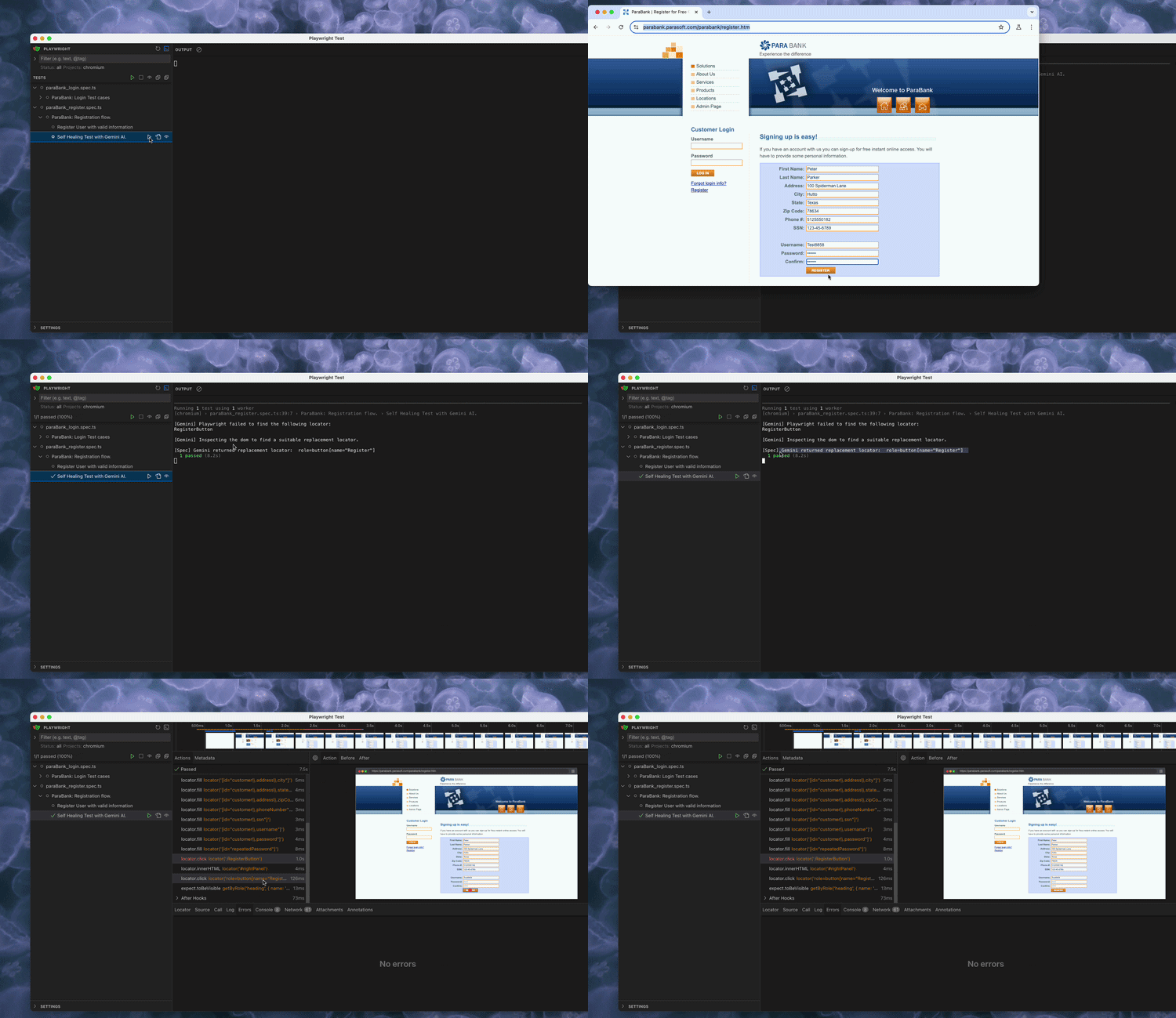
Let me set the scene. It's a Thursday afternoon. The UI team pushed
changes overnight, and now a third of my Playwright tests are
screaming about locators that no longer exist. The element is still
on the page. I can see it with my own eyes. But the selector I wrote
three weeks ago? Gone. Irrelevant. A relic of a simpler time. This
is the locator problem — and if you've spent any time in test
automation, you know it intimately. Selectors break. Frequently.
Quietly. Sometimes right before a release demo, if the universe is
feeling particularly creative.
So I did what any reasonable engineer
does when confronted with a maintenance spiral: I asked an AI to
handle it.
After a bit of research, I discovered Gemini — Google's powerful
large language model (LLM) has a free tier that offers a robust API.
So with nothing much to lose and everything to gain, I embarked on the following journey.
Interacting with the Gemini API
Google offers a free tier for the Gemini API, which includes a certain number of free tokens each month which is ideal for experiementation purposes.
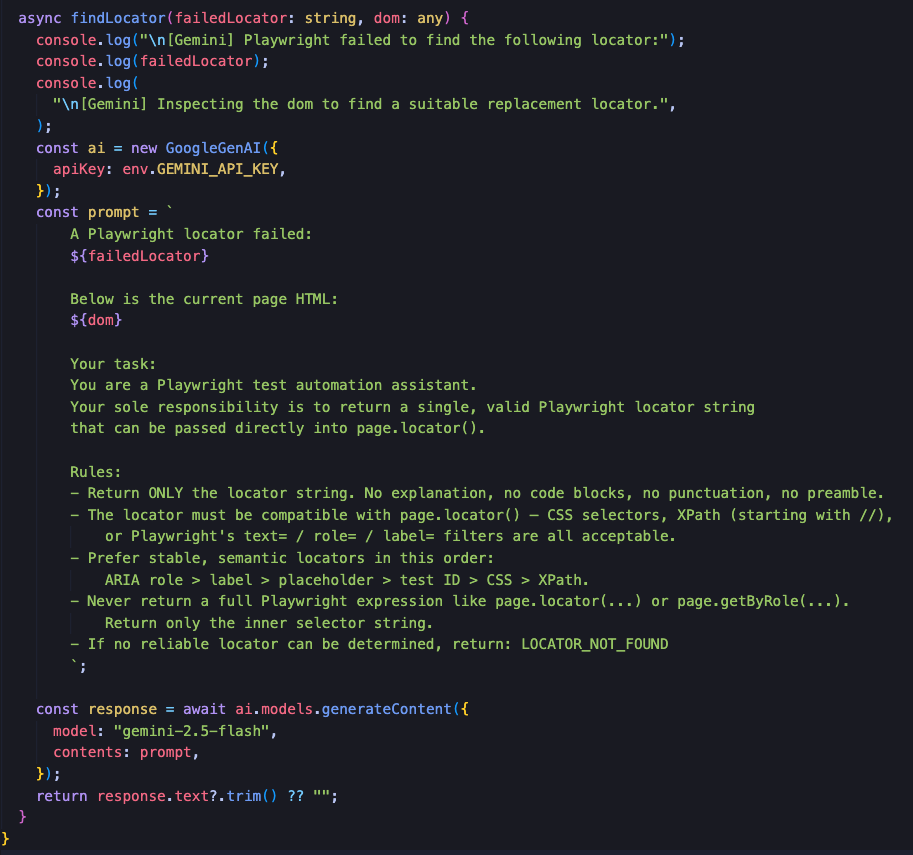 The most challenging part of this process was developing the
prompt.
Since I am in the experimental phase of the project and am using the
Gemini Free Tier, I had to be mindful of token limits while developing
a prompt that contained enough context for Gemini to understand the
problem and deliver a useful page locator.
The most challenging part of this process was developing the
prompt.
Since I am in the experimental phase of the project and am using the
Gemini Free Tier, I had to be mindful of token limits while developing
a prompt that contained enough context for Gemini to understand the
problem and deliver a useful page locator.
It took a lot of trial and error, but ultimately I decided to move forward with the prompt noted above. I plan on revisiting this again the future in order to develop a more concise prompt that delivers the same results.
Adjusting the test spec
With the Gemini helper method in place, I created an automation test spec that registers a user for an account on a mock banking website. To test the Gemini integration, I am intentionally attempting to locate the "Register" button using a bad locator in a try/catch block.When the test fails to find the Register button, the catch block is executed and the failed locator along with the page dom are sent to the Gemini helper method.
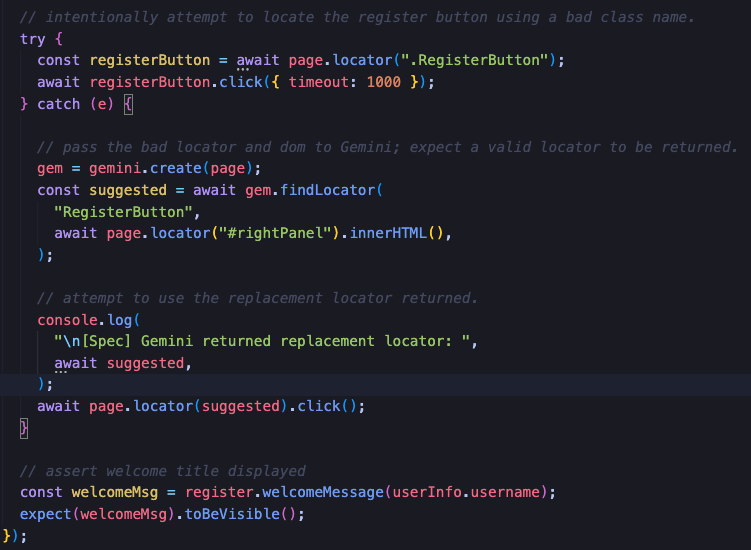
I wanted to add visibility into the process, so I added print statements to log the suggested locator returned by Gemini.
The suggested locator is visibile in the Playwright test runner output.
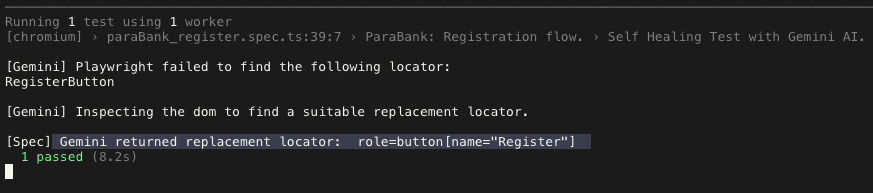
Gemini returns the suggested locator ( role=button[name="Register"] ) to the test spec, which then attempts to locate the element and perform a click action.
Putting it All Together
The Register button is successfully located and clicked, allowing the test to proceed to the next step which is to assert the welcome message is displayed confirming the user has successfully registered for an account.